
Financial reports management is a process that involves data collection, analysis, and the creation of reports. It further extends to the distribution of financial reports to the stakeholders, investors, and regulatory authorities, such as taxation departments, etc. It also helps professionals make informed business decisions based on these reports.
Why PDF Format?
The process of distribution and storage of these reports is critical, as there can be chances of a breach. It can pose a threat to the business if confidential details such as budget for research & development, marketing campaigns, or upcoming acquisitions are leaked to competitors. So, financial reports must be presented in a professional yet secure format. Portable Document Format (PDF) is a format that can fulfill these needs.
Benefits of Text to PDF Conversion
There are multiple benefits of converting text to PDF, including:
- Security
- Organization
- Compatibility
Security
PDFs are considered more secure as compared to Word or TXT documents. This is mainly because it can be locked with a password that only the intended person knows.
Organization
PDF files help keep content properly structured and arranged. When you convert text to PDF, the layout stays fixed. Headings, paragraphs, spacing, and alignment remain the same on all devices. This makes documents look clean and professional.
Compatibility
PDF is a compatible format for a wide range of devices, such as computers, mobile phones, printers, web browsers, and e-readers. Operating systems, including Windows, macOS, and Linux support PDFs. Mobile devices such as iOS and Android also support PDF files. E-readers like Kindle and iPad support PDFs as well.
Text to PDF Conversion Methods
There are multiple methods of converting text to PDF. The easiest and free-of-cost methods include:
- Online Tools
- Microsoft Word
Online Tools
Online tools are the easiest method of converting text files to PDFs. You just have to search for the right tool on a search engine like Google. It will show multiple platforms offering text to PDF converters. We did the same and came across Text to PDF Converter by Imagetotext.io. You can use this as well, or find one that you like more. Here is the user interface of the tool.
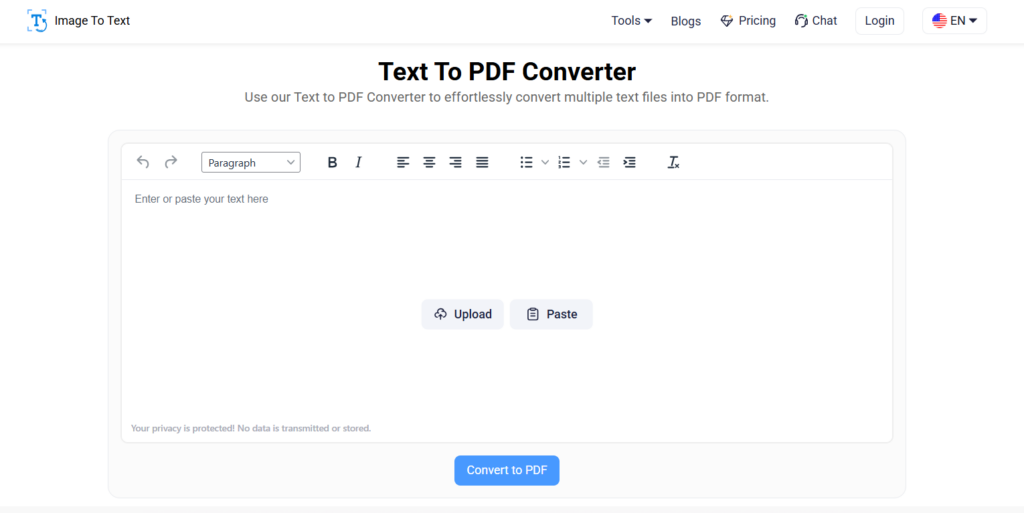
It is quite user-friendly and shows only the necessary information that even a non-technical person can understand. There are two major options for providing this tool with input:
- Upload the TXT file or paste text
- Write the text in the box manually
There are multiple options available if you want to write the whole text within the tool from the beginning. You may format your work by choosing different headings and paragraphs. Then you can bold and italicize the text and align it as can be done in a Word document.
Bullets and numbers can also be given to clarify the writing and distinguish listicle items from paragraphs. Then, text can also be indented. If you paste text from other sources into the tool with uneven formatting, you can clear its formatting using the available option.
If you’ve got a written file, you may upload it by dragging and dropping it or browsing it from the device’s memory.
After uploading the file, the UI of the tool would look something like the picture below:
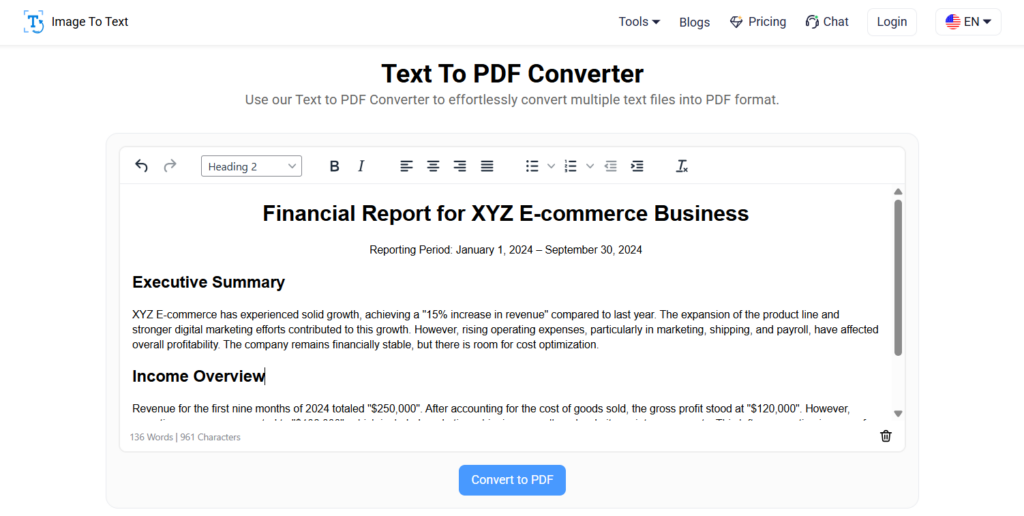
When you press the “Convert to PDF” button after setting the formatting, the text will be converted to PDF and saved in your device’s memory.
Microsoft Word
Using Microsoft Word is also an easy method. If you have MS Word installed on your computer, you can type the whole report and save it as a PDF file. Here is how:
Open the MS Word document on your device and start typing the report. This is what it will look like when you have completed writing.
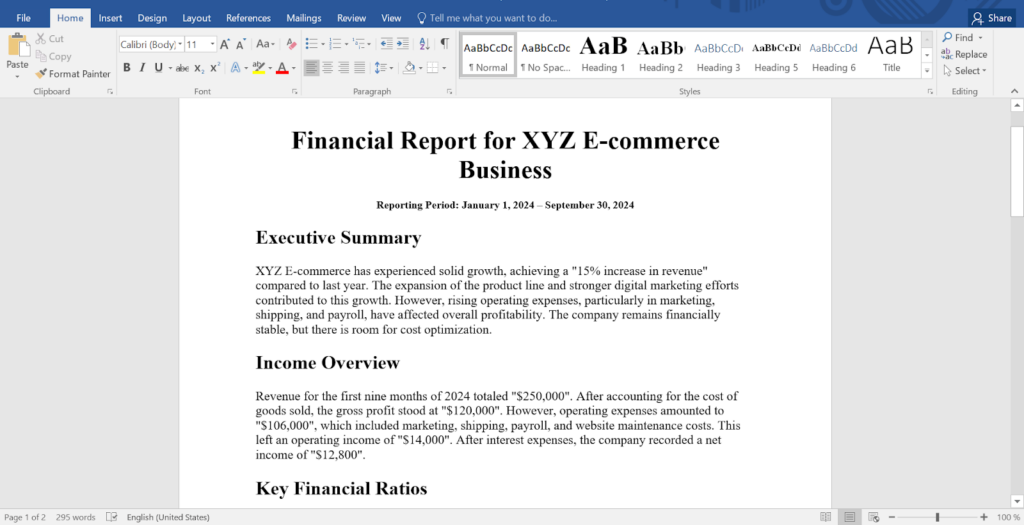
After finalizing the editing and formatting, click on the “File” tab and choose the “Save As” option. Then click on the folder where you want to save the file. A dialogue box will open where you can give a new name and choose the file format. Here, click on the “Save as type” option and choose the “PDF” format from the dropdown.
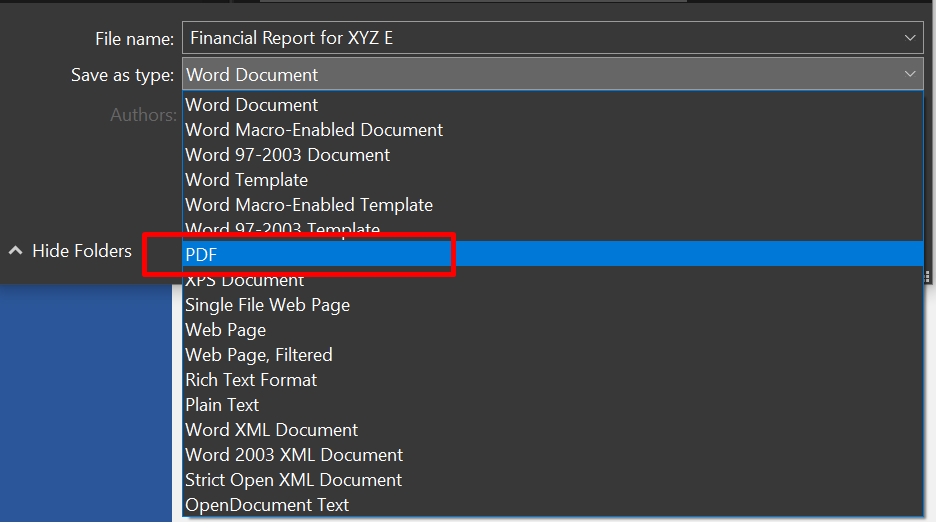
Then click on the “Save” button. Your text file will be saved as a PDF file in the chosen location.
Final Words
Financial reports management is a crucial task that involves the creation, preservation, and distribution of financial reports. But they need to be kept in a format that is professional and safe. PDF is such a format that fulfills this need. It is secure, can easily be organized, and is compatible with multiple browsers, devices, and operating systems.
Text can easily be converted to PDF using online tools such as the Text to PDF Converter by Imagetotext.io or by using MS Word. Both methods make the creation and management of financial reports easy.